

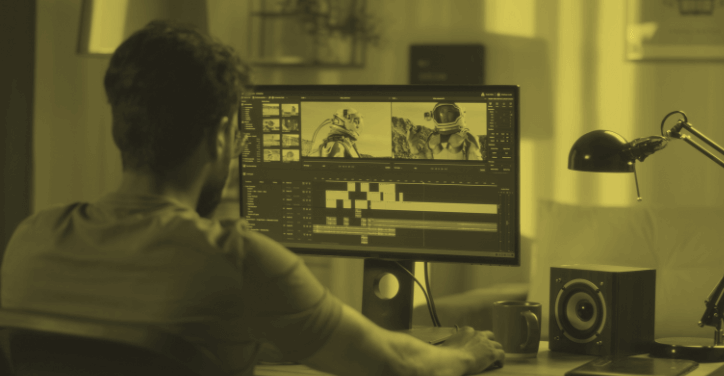
Whether you’re editing YouTube videos, marketing content, social media clips, or advertising campaigns, strong video editing is essential to generate engaging professional-quality videos that stand out. The competition is fierce nowadays, and editing is no longer just about cutting clips. It’s about pacing, visual polish, and storytelling. In this article, we’ll share 15 expert-level video editing tips to turn your average videos into highly engaging and converting videos.
What Is Video Editing?
Video editing is the process of manipulating and arranging video clips to create a final, polished video. There are many steps involved in the process, like trimming footage, adding music, inserting transitions, color correction, incorporating text, graphics, or visuals, and enhancing audio.
Video editing enables you to shape raw footage into a compelling story or message. Whether you’re producing a YouTube vlog, a promotional video, or a Reel on Instagram or TikTok, editing is where your content comes to life.
There are different editing styles depending on the platform and goal. For TikTok, you’ll certainly use faster cuts, for film, you’ll have slower, more cinematographic cuts, and for presentations, more professional edits with minimal edits. Regardless of the format, great editing guarantees your content looks good, sounds clear, and keeps viewers engaged from the beginning until the end.
Why Video Editing Matters
It may seem tedious to edit videos, but video editing is how your story is told. It’s essential to get a message across to viewers. A great edit can increase viewer retention, boost engagement, and even improve SEO performance. We all have a memory or two of great ads we saw that left a lasting memory. Well, that’s what every brand is trying to achieve. Leave a lasting memory so you will feel closer to that brand and be more likely to buy their products.
The bottom line is simple. Whether you’re running video ads or other marketing campaigns, creating content for YouTube, or creating informative presentations, video editing shows professionalism and expertise. Clean transitions, solid structure, and the right effects often turn raw footage into content that converts, entertains, and inspires.
15 Video Editing Tips for Better Videos
1. Start with a solid script or storyboard.
You should always plan a script or storyboard. Even for your short videos. Planning enforces structure for your edits and saves you time. It’s the best way to ensure your video has purpose and gets its point across to the viewer.
2. Use the right editing software
Using the right editing software will enable you to produce the best video edits. It’s an essential weapon in a video editor’s arsenal. Take time trying a few out and researching which are the best for you. If you’re a beginner, you might have a better experience using CapCut or iMovie. If you’re a pro, maybe Adobe Premiere Pro, Final Cut Pro, or DaVinci Resolve are more suited to your skills.
3. Organize your footage first
As a video editor, it can be easy to get lost in many files. Label your files and use folders for different cuts, music, and graphics. You’ll complete your work much more quickly and efficiently if you don’t spend half your time searching through files.
4. Trim intensely
Don’t be afraid to go straight to the point and avoid all distractions. Your video has a purpose. Anything else is secondary. Cut unnecessary pauses, moments that don’t move the storyline, and off-topic parts to have the best pacing possible.
5. Use jump cuts sparingly
Jump cuts are appearing increasingly. We all know that one ad that uses lots of cuts to increase the pace and give life to the content. But if overused, jump cuts can feel shallow, distracting, and pointless. Use B-roll to cover transitions and make them smoother.
6. Add b-roll to enhance visuals
Enhance dialogues and narration with relevant clips and graphics that will add more context and generate more interest. These sections are essential in transforming your video from a mundane story into an exceptional one.
7. Master transitions and timing
Knowing how to use cuts to enhance your story and create the right pace is essential to make a professional story. Simple cuts outperform flashy and over-the-top transitions. Keep it simple and functional. Timing should serve the story.
8. Balance audio levels
Sounds are just as important to your video. Videos with sound or music usually perform better on platforms like YouTube and Instagram because they are favored by the algorithm. Make sure your voiceovers, music, and sound effects are all clear and don’t compete with one another. Use equalization (eq) and compression to improve the auditory experience.
9. Use captions or subtitles
Nowadays, you need to make sure your video is accessible to all. Using captions or subtitles ensures that anyone can follow what is happening whether they have hearing disabilities or are using their mobile to watch without sound. Increase your accessibility and retention to grow your viewers and engagement.
10. Match your music to the mood
Choosing the right music can enhance your video and make it even more attractive or impactful to viewers. Choose royalty-free music that supports your video’s pace and the tone of your message. You don’t want it to be over the top or underwhelming. Most importantly, ensure you have the right to use the music in your video, as this can really come back to haunt you.
11. Color correct and grade your footage
You need to pull out all the stops to create the most competitive and high-level video edits. That includes adjusting white balance, contrast, and saturation to give your videos the most polished and cinematic feel.
12. Always respect and align your branding
Your branding is everything. You and your brand need to stand out and impact people. You always need to respect your branding and follow guidelines. If you show inconsistencies, your brand quality can seem less relevant, consistent, and reliable. Use consistent fonts, colors, and graphics to match your branding and your channel.
13. Optimize for the right platforms and aspect ratio
Using the right aspect ratio and optimizing your videos for every platform is essential to get the best results. Whether it’s Instagram, Meta, TikTok, or YouTube, every platform has its own code and rules. Use 16:9 for YouTube, 9:16 for TikTok and Reels, and 1:1 for Instagram feed videos.
14. Use templates to gain efficiency
Templates are a great way to maximize efficiency. You’ll have a preset format you can edit to make high-quality videos more quickly. The templates look polished and save you lots of time.
15. Get feedback before publishing
It’s always better to get a second opinion and some feedback before publishing your videos. Getting a second set of eyes can help catch small mistakes and get constructive feedback. It’s great to get feedback from a more experienced editor, but even feedback from someone less experienced can be helpful.
Hire a freelance video editor to complete your video projects
It can be challenging to complete video projects independently. Especially if you’re on your own and have many videos to produce, or if you don’t have much experience. That’s where freelance services can be extra helpful. Freelancers can help you complete your projects and achieve better results.
ComeUp is one of the best freelance marketplaces to find and buy services on. There are different ways to leverage freelance professionals. Full video editing, voice-overs, creating templates, adding animation, the possibilities are endless. You can find services on ComeUp by using the search bar or browsing the different categories. Use reviews, the service description, and the freelancer’s profile to make sure the service is the right one for you. Once you find the service you need, you can order it and get started on your project.
ComeUp is rated 4.3 stars out of five (as of August 2025) on Trustpilot because of the smooth order process and the helpful and reactive customer service team. The order process is safe, secure, and simple. When you place an order on ComeUp, you pay for it right away. The money goes into an escrow account, and the freelancer only receives it once they have completed the order and you have approved it. In addition, ComeUp’s customer service team is amongst the best in the industry as they are always ready to help.
Conclusion: 15 essential video editing tips to help you make the best videos
We hope these essential video editing tools will help you elevate your videos to the next level so you can improve your performance and increase your viewers. Consider hiring a professional video editor if you want to increase your efficiency and get more viewers. Try ComeUp today and find all the video editing services you need.